

Strikethrough Google Docs.When you work on documents, editing is part of the process. We add ideas, remove words, and improve sentences. One helpful tool that many people overlook is strikethrough Google Docs. This simple feature lets you draw a line through text without deleting it. It may sound small, but it can make a big difference in how you write, edit, and collaborate.
In this complete guide, you will learn everything about strikethrough Google Docs—what it is, why it matters, how to use it on different devices, and smart tips to work faster and better. Whether you’re a student, teacher, business worker, or casual writer, this article will help you use this feature like a pro.
Let’s dive in!
What Is Strikethrough in Google Docs?
Strikethrough Google Docs is a text formatting feature that places a horizontal line through selected words or sentences. Instead of deleting text completely, you keep it visible but marked as removed or changed.
For example:
- Original: I will finish the report today.
- Edited: I will finish the
reportpresentation today.
See the difference? The word is still there, but it’s clear that it’s no longer needed.
This feature is available in Google Docs, which is part of Google Workspace. Because Google Docs is cloud-based, the strikethrough feature works smoothly for online editing and collaboration.
Why Strikethrough Google Docs Is So Important
At first glance, strikethrough might look like a simple line. But in real-world writing, it plays a powerful role.
Here’s why it matters:
Keeps a Record of Changes
When editing a document, you may not want to delete words permanently. Strikethrough lets others see what was removed.
Helps in Team Collaboration
In group projects, team members can:
- Suggest changes
- Cross out ideas
- Mark completed tasks
- Show outdated information
Makes To-Do Lists Clear
You can cross out completed tasks instead of deleting them. It gives a sense of achievement—like ticking items off a list!
Improves Draft Writing
Writers often change their minds. Instead of deleting a sentence, they strike it through. Later, they can review and decide if it’s worth keeping.
Simply put, strikethrough Google Docs makes editing smarter and safer.
How to Use Strikethrough Google Docs on Desktop
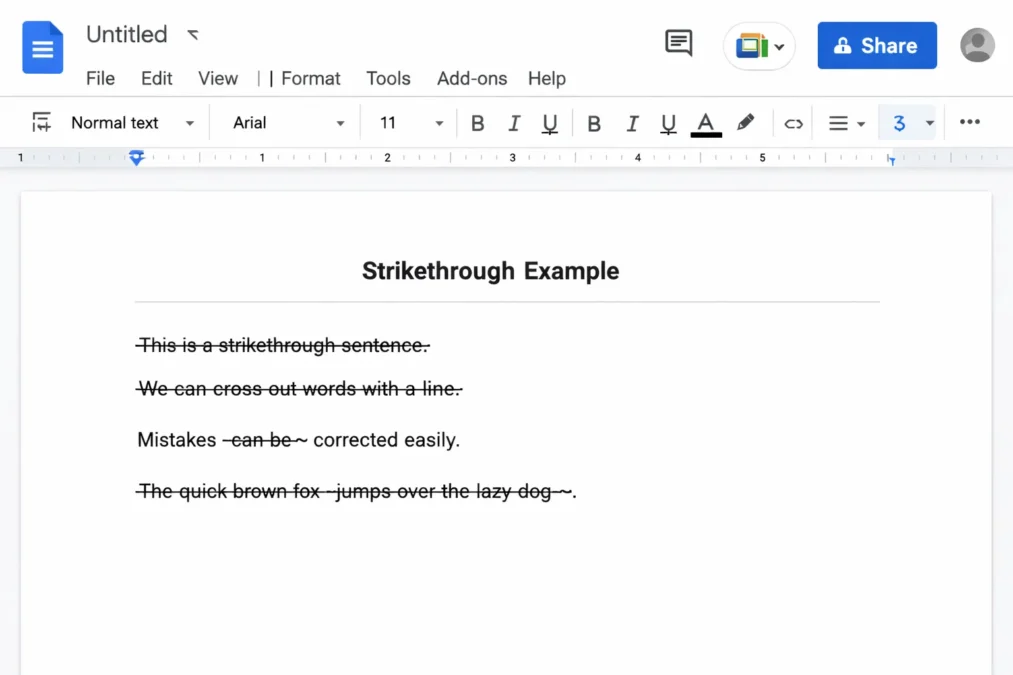
Using strikethrough on a computer is very easy. Follow these steps:
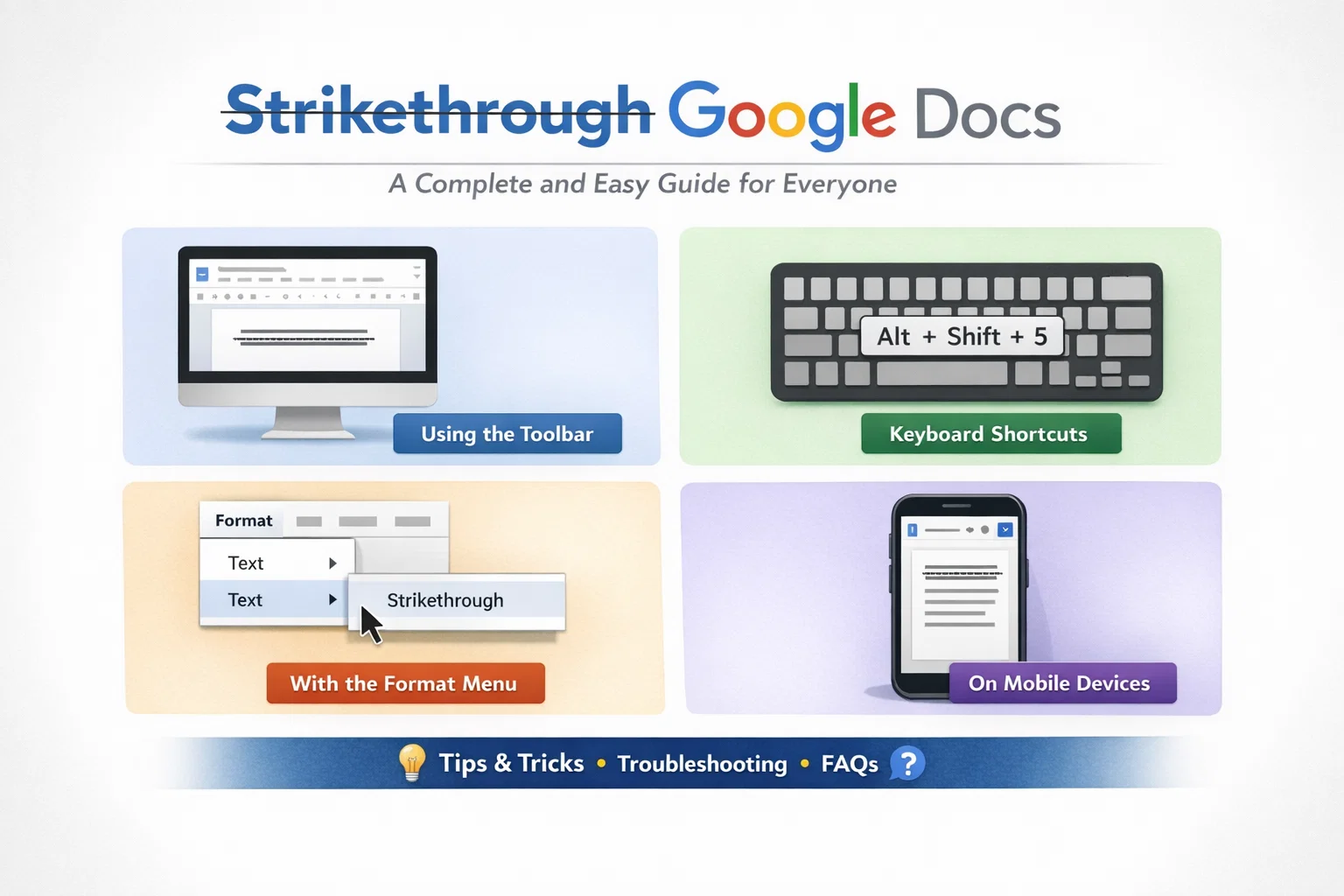
Method One: Using the Menu
- Open your document in Google Docs.
- Highlight the text you want to strike through.
- Click on Format in the top menu.
- Choose Text.
- Click Strikethrough.
Boom! The line appears instantly.
Method Two: Using Keyboard Shortcuts
If you like working quickly, shortcuts are your best friend.
- Windows or Chromebook:
Alt + Shift + 5 - Mac:
Command + Shift + X
Shortcuts save time and make editing smooth. Once you get used to them, you’ll wonder how you worked without them!
How to Use Strikethrough Google Docs on Mobile Devices
Working on your phone or tablet? No problem! The feature works on mobile too.
Steps for Android and iPhone:
- Open the Google Docs app.
- Tap the pencil icon to edit.
- Select the text you want to change.
- Tap the A formatting icon at the top.
- Go to the Text tab.
- Choose Strikethrough.
It’s just as easy as the desktop version. Editing on the go has never been simpler.
Common Uses of Strikethrough Google Docs in Daily Work
Let’s explore real-life examples where strikethrough Google Docs shines.
For Students
- Cross out incorrect answers.
- Edit essays without losing original ideas.
- Show teacher feedback changes.
For Teachers
- Mark mistakes clearly.
- Show corrections side-by-side.
- Provide visible editing suggestions.
For Business Professionals
- Remove outdated policies.
- Show contract changes.
- Track project updates.
For Writers and Bloggers
- Edit drafts smoothly.
- Compare old and new sentences.
- Keep backup ideas.
In short, strikethrough is not just a decoration—it’s a practical editing tool.
Many users confuse strikethrough with Suggesting Mode. But they’re not the same.
Google Docs offers Suggesting Mode, which automatically shows changes. Instead of manually applying strikethrough, it tracks edits for you.
Here’s a simple comparison:
| Feature | Strikethrough Google Docs | Suggesting Mode |
|---|---|---|
| Manual or Automatic | Manual | Automatic |
| Best For | Simple editing | Team collaboration |
| Shows Editor Name | No | Yes |
| Easy to Remove | Yes | Yes |
| Ideal Use | Personal drafts | Shared documents |
Both tools are helpful. However, strikethrough Google Docs is perfect when you want quick formatting without switching modes.
Tips and Tricks for Using Strikethrough Google Docs Like a Pro
Want to level up your editing game? Try these smart tips:
Combine with Bold or Italics
You can strike through bold or italic text for extra emphasis.
Example:
Important Notice
Use in Checklists
Instead of deleting finished tasks:
Submit assignmentEmail manager- Prepare presentation
It feels satisfying, doesn’t it?
Undo Quickly
Made a mistake? Just press:
- Ctrl + Z (Windows)
- Command + Z (Mac)
Create Visual Contrast
Strikethrough works well when combined with:
- Different text colors
- Headings
- Bullet points
It makes changes easy to spot.
Troubleshooting Problems with Strikethrough Google Docs
Sometimes things don’t work as expected. Let’s solve common issues.
Strikethrough Option Is Missing
Make sure:
- You have selected text.
- You’re in editing mode.
- Your browser is updated.
Keyboard Shortcut Not Working
Check:
- Language settings
- Browser extensions
- System shortcuts conflicts
Formatting Looks Strange
Clear formatting by:
- Selecting the text
- Clicking Format
- Choosing Clear formatting
If problems continue, try refreshing the page. Often, a simple refresh fixes everything.
Benefits of Using Strikethrough Google Docs for Collaboration
Collaboration is where Google Docs truly shines. When teams work together, clarity is key.
Here’s how strikethrough helps:
- Shows removed content clearly.
- Reduces confusion.
- Makes editing transparent.
- Keeps document history intact.
Because Google Docs saves changes automatically in the cloud, your edits are never lost. That’s peace of mind right there.
Best Practices for Professional Documents
Using strikethrough Google Docs in professional settings requires balance.
Do:
- Use it for drafts.
- Show revisions clearly.
- Keep formatting consistent.
Don’t:
- Leave too many crossed-out sections in final documents.
- Overuse it in formal reports.
- Mix too many styles.
In final versions, remove unnecessary strikethrough text to keep documents clean and polished.
How Strikethrough Google Docs Improves Writing Skills
Believe it or not, this small tool can improve your writing habits.
Encourages Thoughtful Editing
Instead of deleting instantly, you pause and review.
Supports Learning
Students can see how their writing changed over time.
Builds Confidence
Writers feel safe experimenting because original text isn’t lost.
Editing becomes less scary and more creative.
Comparing Strikethrough Google Docs with Other Word Processors
Other programs also offer strikethrough features. For example:
- Microsoft Word
- LibreOffice Writer
However, Google Docs has unique advantages:
- Cloud-based access
- Auto-saving
- Easy sharing
- Real-time collaboration
That’s why many users prefer strikethrough Google Docs for teamwork and online editing.
Frequently Asked Questions About Strikethrough Google Docs
Can I remove strikethrough?
Yes! Simply select the text and click the strikethrough option again.
Does strikethrough affect printing?
Yes, the line will appear in printed documents unless removed.
Can I customize the line style?
No, Google Docs does not currently allow changing the strikethrough line style.
Is strikethrough available offline?
Yes, if offline mode is enabled in Google Docs.
Final Thoughts on Strikethrough Google Docs
In the world of digital writing, small tools can make a big impact. Strikethrough Google Docs may seem simple, but it is powerful, practical, and essential for smart editing.
It helps you:
- Edit without fear
- Collaborate clearly
- Track changes easily
- Improve writing skills
Whether you’re crossing out a completed task, editing a school essay, or updating a business contract, this feature makes your work cleaner and more organized.
So next time you open your document, don’t just delete—strike it through! With strikethrough Google Docs, you stay in control of your words while keeping everything clear and professional.
And there you have it—a complete, expert-level guide to mastering strikethrough Google Docs with confidence and ease.